
Cloud Based HR Management System: A Complete Guide for Businesses
18 November 2026 · 12 min read
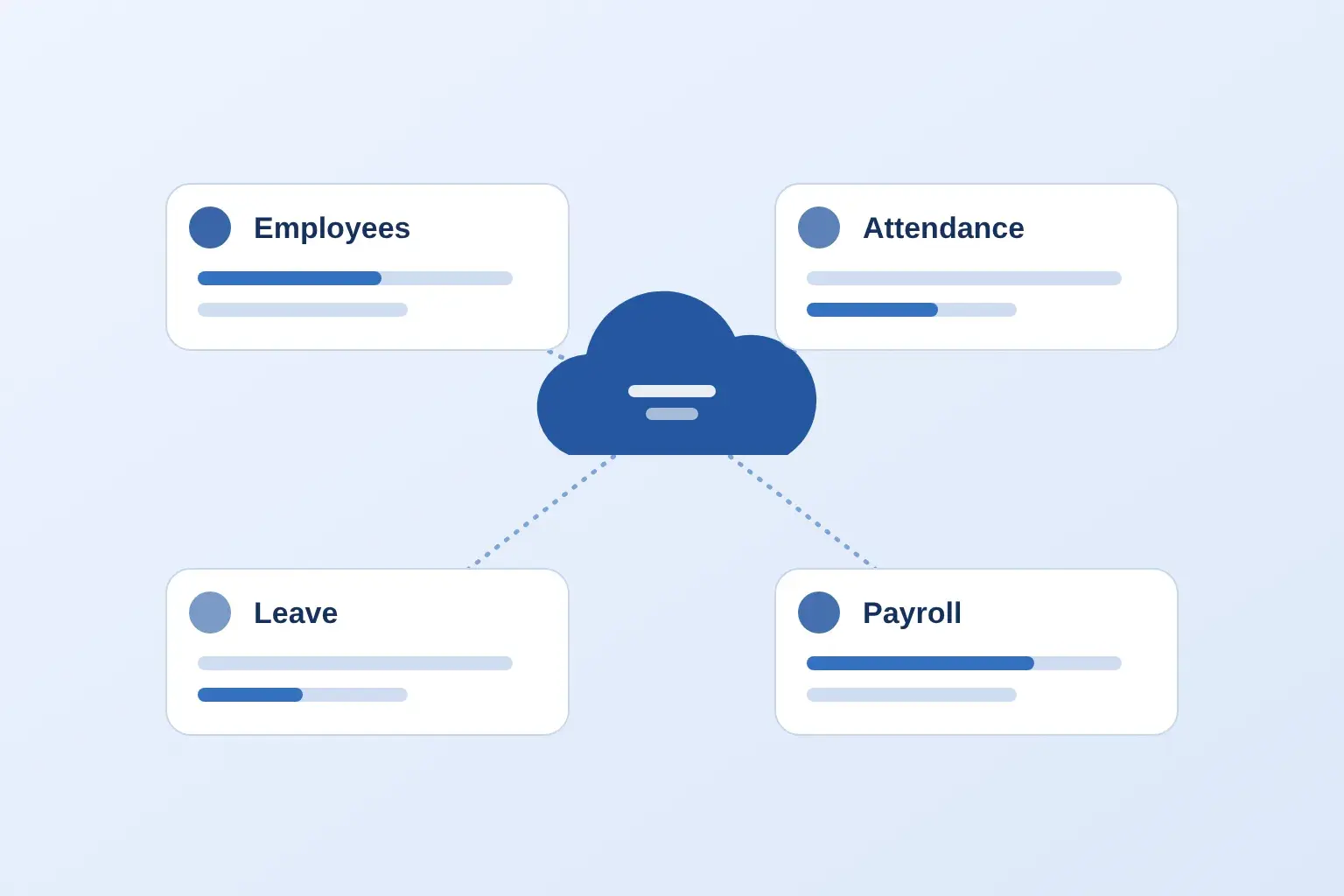
A new joiner's details sit in one spreadsheet, attendance in a register, leave requests in email and salary inputs in another file. Each branch keeps its own version, and HR spends month-end reconciling them. Many businesses are replacing this patchwork with a cloud based HR management system, a single online platform for employee records, attendance, leave and payroll.
This guide explains what a cloud based HR management system is, how it works, which features matter, how it compares with traditional software, and how to choose and roll one out. It is written for business owners, HR managers and payroll teams in India.
What is a cloud based HR management system?
A cloud based HR management system is HR software that runs online instead of on a company's own computers. Authorised users log in through a browser or mobile app to manage employee records, attendance, leave, payroll and reports from one central system.
You may also see it called a cloud based HRMS (Human Resource Management System). The HR team, managers and employees all use the same platform, each seeing only what their role allows. Employee information is stored centrally, so a change made once is visible everywhere it matters.
With locally installed HR software, the program and its data live on office machines or servers, and the business maintains them. With a cloud system, the vendor runs the platform and the business manages its users, settings and data quality.
Example: a retailer with six stores adds each store manager as a user. Managers record attendance and approve leave for their own team. HR at head office sees all six stores, and payroll uses the same records, with no spreadsheets travelling between branches.
How does a cloud based HRMS work?
A cloud based HRMS works by keeping all HR data in one online system that users reach through the internet, with permissions deciding who can see or change what.
- Set up the account. The business configures company details, departments, locations and modules.
- Create employee profiles. HR adds each employee, either individually or by importing existing records.
- Give access. Employees, managers and HR receive logins with role-based access to the features they need.
- Manage HR activities. Attendance, leave requests, approvals and payroll inputs are handled in the platform.
- Update records centrally. A change to a profile or approval is saved once and used by every connected module.
- View reports. Authorised users open the reports their permissions allow.
Four things make this possible: cloud infrastructure that hosts the software, a central database that holds employee data, user access controls that separate roles, and an internet connection. If connectivity is poor at a site, ask how the product handles it. Hosting, backup and security arrangements differ by vendor, so ask each one rather than assuming.
Key features of a cloud based HR management system
Not every product includes every module, and some features are optional add-ons. Treat this list as a checklist to compare against vendor demos. For an overview of how these modules relate, see what HRMS software is.
Employee management
Employee management stores personal and professional details, documents, department and reporting line in one profile. It also keeps lifecycle records such as joining, promotions and transfers. See employee management in Manitham HRMS and our guide to managing employee documents digitally.
Attendance management
Attendance modules record check-in and check-out, flag late arrivals and absences, and produce attendance reports. Methods vary by product and may include web, mobile, GPS or biometric punching. Read more about attendance management.
Leave management
Leave management covers applications, manager approvals, balances and leave records. Configurable policies matter here, because leave rules differ between companies. See leave management.
Payroll management
Payroll modules hold salary information, process payroll, store salary records and produce payroll reports. Indian businesses should confirm statutory handling such as PF, ESI, professional tax and TDS. See payroll software.
Shift management
Shift management allocates employees to shifts, maintains schedules and tracks attendance against each shift. It is essential for factories, hospitals, stores and restaurants. See our guide to shift management software by industry.
Employee self-service
Self-service lets employees apply for leave, view their own information and, where supported, download payslips without contacting HR. See employee self-service.
Performance and employee lifecycle management
Some systems add goals, appraisals and review history, along with lifecycle tracking from onboarding to exit and HR reports. This is often optional, so check whether it is included in the plan you are quoted. See performance management.
Benefits of using a cloud based HR management system
Centralized employee information
Records move from scattered files into one system, so HR works from a single, current version of each employee's details.
Access HR information from different locations
Authorised users can log in from an office, a branch or home, subject to permissions and internet availability.
Reduced manual HR work
Digital workflows replace repeated data entry, paper forms and email approvals. Manual checks still happen, but the repetitive part shrinks.
Improved attendance and leave management
When attendance and leave sit together, HR can see who was present, on leave or absent without comparing separate files.
Simplified payroll operations
Organised employee, attendance and leave data gives payroll cleaner inputs, which can reduce corrections at month-end. For the wider process, read the payroll processing guide for India.
Better multi-branch HR management
Head office can view employees and attendance across locations in one system. See how to manage attendance across multiple branches.
Better HR visibility and reporting
Reports on attendance, leave, headcount and payroll help HR spot patterns and make informed decisions.
Scalability for growing businesses
As headcount and locations grow, many cloud products let you add users or modules. Confirm the limits and the cost of growth before you commit.
Cloud based HR management system vs traditional HR software
The main difference is where the software runs and who maintains it. Cloud systems are accessed online and managed by the vendor; traditional software is installed and maintained by the business.
| Factor | Cloud based HR management system | Traditional HR software |
|---|---|---|
| Software accessibility | Accessed online through a browser or mobile app | Usually used on office computers or the office network |
| Installation | Typically no installation on company servers | Installed on company computers or servers |
| Data management | Held centrally on the vendor's platform; storage practices vary by vendor | Held on the company's own systems, which the company manages |
| Software updates | Usually rolled out by the vendor | Often scheduled and applied by the business or its IT team |
| Remote access | Available to authorised users with internet access | Needs VPN or remote desktop set-up |
| Multi-branch operations | Branches can work in one shared system | Needs extra set-up to combine branch data |
| Scalability | Often add users or modules by changing the plan | May need new licences, hardware or upgrades |
| Maintenance responsibility | Shared: vendor runs the platform, business manages users and data quality | Mostly the business, including backups and servers |
| Licensing model | Commonly a recurring subscription | Commonly a one-time licence plus support or upgrade fees |
This is a general comparison. Actual capabilities, security and total cost depend on the vendor, the plan and the deployment model. Some traditional products offer remote access, and some cloud products need careful configuration, so compare specific products rather than categories.
Cloud based HR software vs cloud based HRMS: is there a difference?
Yes, though the terms overlap heavily. Cloud based HR software is a broad term for any online tool that supports HR work, from a payroll-only product to a full suite. A cloud based HRMS usually means an integrated system covering several core areas, such as employee records, attendance, leave and payroll, on shared data.
In practice, vendors use the names loosely. A product called an HRMS may be thin, and one called HR software may be quite complete. So evaluate modules and workflows, not the label. For a deeper look at terminology, see HRIS vs HRMS vs HCM.
Who should use a cloud based HR management system?
Any business that has outgrown spreadsheets can benefit, especially one with several branches, shifts or remote staff. Typical use cases:
| Business type | How cloud HR management helps |
|---|---|
| Small and medium-sized businesses | Replace spreadsheets with one system for employee records, attendance and leave, then add payroll when ready. |
| Manufacturing companies | Track shift-based attendance across plants and bring attendance, overtime and payroll inputs into one place. |
| Retail businesses | Manage staff across stores, with branch managers handling attendance and leave while HR sees every location. |
| Hospitals and healthcare | Organise rotating shifts and leave for clinical and support staff, with consistent records across departments. |
| Restaurant chains | Handle outlet-wise rosters and attendance for large shift-based teams without paper registers. |
| IT companies | Support hybrid and remote employees with online attendance, leave approvals and self-service access. |
| Educational institutions | Maintain staff records, leave and attendance across campuses or departments in one system. |
| Multi-branch organisations | Give head office a single view of employees, attendance and leave across all locations. |
Smaller teams can start with core modules; see HRMS software for small business and HRMS for manufacturing.
How to choose the right cloud based HR management system
Choose by matching your real HR workflows to a product's modules, then testing those workflows in a demo. Evaluate:
- Employee management: profiles, documents, org structure.
- Attendance tracking: the methods your teams actually use.
- Leave workflows: configurable types, approvals and balances.
- Payroll: your salary structures and statutory needs.
- Shift management: rotating or multi-site shifts, if relevant.
- Employee self-service: what employees can do themselves.
- Reporting: the reports you rely on today.
- Multi-branch needs: location-wise views and managers.
- Access and permissions: who sees salary and personal data.
- Security and privacy practices: documented, not just promised.
- Ease of implementation: data import and set-up effort.
- Support and training: what is included, and in which channels.
- Pricing and scalability: what changes when headcount grows.
- Integrations: only those you need, confirmed in writing.
Ask for a product demonstration using your own scenarios, review pricing terms and talk to the support team before deciding. Our guide to HRMS pricing in India explains what drives cost.
Is a cloud based HR management system secure?
It can be, but security varies by provider. No cloud HR product is secure automatically, so judge each one on what it documents and demonstrates. HR data includes salaries, identity documents and personal details, so this deserves proper scrutiny.
- User authentication: how users log in and how passwords or other checks are handled.
- Role-based permissions: whether access can be limited by role, department or location.
- Data privacy: how personal data is handled and what the privacy policy says.
- Secure transmission: how data is protected between users and the platform.
- Storage practices: where and how data is stored, as documented by the vendor.
- Backup and recovery: what is backed up and how recovery works.
- Access monitoring: whether activity can be reviewed.
- Vendor documentation: ask for written security details and review them with your IT or legal advisor.
Cloud based HR management system implementation: step-by-step guide
Implementation works best as a planned project rather than a switch-over. The ten steps below apply to most businesses; our HRMS implementation guide covers them in more depth.
- Identify HR challenges. Note where time and errors occur today.
- Define requirements. List must-have modules, locations, shifts and reports.
- Select the software. Shortlist, demo and compare.
- Plan data migration. Clean employee records before importing them.
- Configure modules. Set up leave types, shifts, departments and payroll structures.
- Set up roles and permissions. Decide who sees and approves what.
- Train teams. Short, role-based sessions for HR, managers and employees.
- Test key workflows. Try leave approval, attendance corrections and a payroll run.
- Roll out in phases. Start with core modules or one branch, then expand.
- Monitor and improve. Gather feedback and adjust settings.
Planning and training decide adoption. A system nobody understands will be bypassed with spreadsheets again. See the employee onboarding software guide for the new-hire side of the process.
Common mistakes to avoid when choosing cloud HR software
- Choosing on price alone. The cheapest plan may lack modules you need.
- Ignoring real requirements. Buying a feature list instead of solving your HR problems.
- Not checking module depth. A module can exist but not support your workflow.
- Overlooking data migration. Messy source data slows every rollout.
- Ignoring access permissions. Salary data should not be visible to everyone.
- Skipping the employee experience. If staff find it hard, adoption suffers.
- Not checking support. Ask about training, response channels and onboarding help.
- Not reviewing scalability. Check limits and costs for more employees or branches.
- Assuming every feature is included. Confirm which features are in your plan.
How Manitham HRMS supports modern HR management
Manitham HRMS, offered through HRMS.work, is a cloud-based HRMS for Indian businesses. It is built around one employee record that the other modules read from, so updates carry through. The capabilities below are those described on the product pages.
- Employee management: employee profiles, documents stored against each record, departments, designations, reporting lines and a searchable directory.
- Attendance management: biometric device, GPS and web or mobile check-in, with late marks and overtime calculated against shifts, and daily, weekly and monthly reports.
- Shift management: shift assignment and rotation, with attendance rules matched to each shift.
- Leave management: configurable leave types, approval workflows, balances and holiday calendars.
- Payroll management: salary processing with PF, ESI, professional tax and TDS, payslips and Form 16.
- Employee lifecycle: tracking from onboarding through transfers, promotions and exit.
- Employee self-service: leave requests, balances, payslips, profile updates and attendance regularization.
- Reports: attendance, leave and payroll reports, with role-based permissions controlling who sees sensitive records.
Modules can be used together or separately, so a team can start with attendance and leave and add payroll or performance later. Pricing depends on employee numbers and selected modules; see Manitham HRMS pricing. Details such as hosting, security certifications and integrations are not covered here, so confirm them with the team during a demo.
Conclusion
A cloud based HR management system gives businesses one online place for employee records, attendance, leave, payroll and reports. Businesses adopt it to replace scattered files, support multiple branches and remote teams, and let employees handle routine requests themselves.
The value depends on choosing the right modules and checking security, support and pricing, not on the label "cloud based HR software" or "cloud based HRMS". Done well, centralised HR management reduces repeated work and gives HR a clearer view of the workforce.
If you are comparing options, explore Manitham HRMS or request a demo to see it working with your own scenarios.