
How to set up an ESS portal for your SME: step-by-step checklist and rollout tips
26 October 2026 · 6 min read
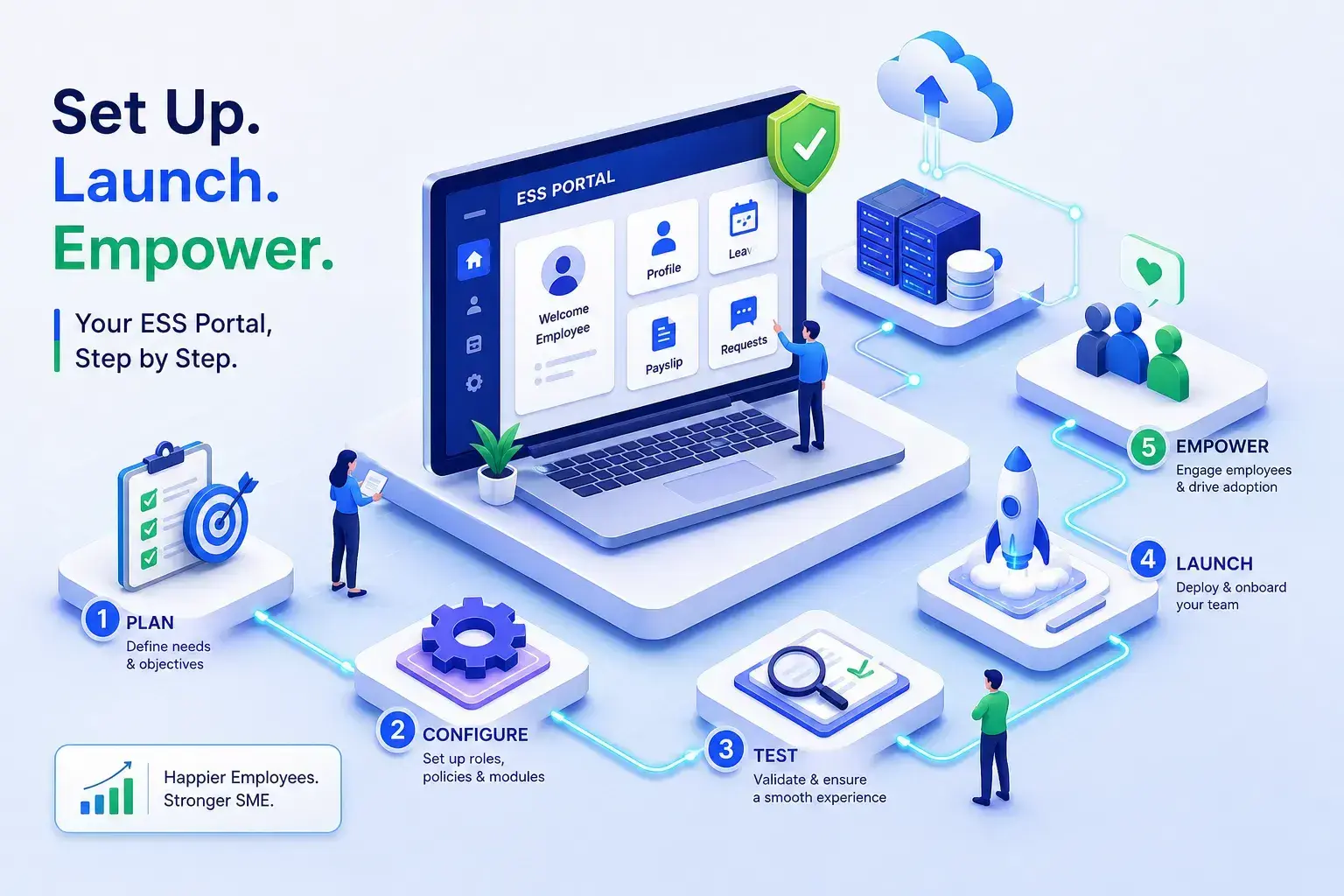
Picture the HR manager at a 60-person manufacturing company at 9 a.m. on a Monday. Before she opens a single spreadsheet, her WhatsApp has 14 unread messages: "What is my leave balance?", "Can you send me last month's payslip?", "Did my attendance get marked on Friday?" Every message is legitimate. Every reply takes two minutes. And every two minutes is time she is not spending on hiring, appraisals, or compliance. An ESS portal, an employee self-service portal, a secure web or mobile feature within an HRMS that lets employees access and update their own HR information without contacting HR, is what ends this loop. Platforms like Manitham HRMS were built precisely for this reality.
What an ESS portal actually does for your team
A self-service HR system is not a feature for its own sake. It is a structural shift in how routine HR work gets done. Instead of every payslip query, leave balance check, and attendance discrepancy flowing to the HR team, employees handle these tasks themselves through an ESS portal they can open on any device. HR becomes the exception-handler, not the first responder.
The tasks employees handle without calling HR
The core self-service actions cover most of what employees need day to day: viewing and downloading payslips, checking real-time leave balances, submitting time-off requests, updating personal details, clocking in via mobile, and accessing HR documents like offer letters and appraisal forms. Consider how much time this reclaims: routine, transactional requests like these can take up a large share of an HR manager's working hours, answering questions the system could answer in seconds.
Why SMEs feel the absence of ESS more than large enterprises
Large organisations have dedicated HR helpdesks with multiple staff. SMEs often have very small HR teams covering everything from onboarding to payroll to compliance. Every WhatsApp message is a context switch. A self-service HR system shifts the burden back to the employee in a good way: they get an instant, accurate answer, and the HR team gets the time to do meaningful work instead of fielding the same ten questions every Monday morning.
ESS portal features Indian businesses actually need
A global ESS checklist typically prioritises benefits enrolment, retirement-plan management, and stock option visibility, features that many Indian SMEs have little use for. The features that genuinely matter here are the ones tied to attendance, statutory payroll, and the realities of a workforce that includes factory-floor workers, field teams, and employees without a desk.
Attendance tracking, GPS check-in and shift data
For manufacturing companies and businesses with field or site workers, GPS-based mobile check-in is not a nice-to-have. It is the attendance method. Employees open the app and tap check-in. Biometric device integration handles factory gates where phones are impractical, and automatic shift and overtime calculations mean no manual reconciliation at the end of the month. Manitham HRMS supports all three attendance modes, web punch-in for office staff, GPS mobile for field workers, and biometric for plant gates, so a single system can cover every worker type across multiple locations. If you are still deciding between methods, see how biometric, GPS and manual attendance compare.
Leave management, payslip downloads and payroll visibility
Configurable leave policies, online request and approval workflows, and real-time balance display eliminate the most common HR queries in a single stroke. Employees see exactly how many days they have left, submit requests that route to the right approver, and track status without following up on WhatsApp. Payslip access matters equally: the platform generates statutory-compliant payslips with PF, ESI, professional tax, and TDS deductions itemised clearly, along with past payslips and Form 16 access. For Indian employees, seeing their statutory deductions laid out transparently builds genuine trust in payroll accuracy.
AI WhatsApp assistant: HR queries with no app or login required
Manitham HRMS includes an AI WhatsApp assistant that lets employees send a message, "What is my leave balance?" or "Send me last month's payslip", and receive an instant, accurate reply drawn from live HRMS data. No app download, no ESS login, no waiting. For frontline manufacturing workers or field staff who are unlikely to open a web portal mid-shift, this can materially improve adoption. The channel they already use becomes the HR interface.
Your SME rollout checklist for an ESS portal
The most common reason ESS rollouts stall is that businesses try to configure everything at once, run into problems, and lose momentum. A sequenced approach keeps the rollout manageable and catches issues before they affect the whole workforce.
What to prepare before you touch the configuration
Employee master data is the single most important pre-launch task. Wrong leave balances, missing payslip records, and outdated employee details will immediately undermine trust in the portal and generate more queries than the old system ever did. Before configuration begins, clean and validate every employee record. Alongside data, map your leave policies and shift structures, define approval hierarchies, and confirm which attendance modes will be used: biometric, GPS, or web punch-in. For manufacturing sites specifically, plant managers need to be assigned their approval roles before employees are onboarded, or leave and attendance approvals will queue with no one to action them.
Step-by-step configuration and go-live
Work through the setup in this order: import employee records, configure leave types and approval workflows, set up attendance parameters including GPS check-in for site workers, enable payslip access, then run a pilot with one department or shift before full rollout. The pilot catches configuration errors in a contained group rather than across the entire workforce.
When you are ready to communicate the change to employees, the introduction matters as much as the technology. For frontline workers unfamiliar with apps, frame the WhatsApp assistant as the simplest entry point: they send a message they already know how to send, and the system does the rest. Before you switch off the old process entirely, complete one full payroll cycle in the new system and verify that attendance, leave, and payroll outputs are accurate end to end.
Fixing the most common ESS login and access problems
Most ESS support tickets are not system failures. They are login issues, and most of them have straightforward fixes that do not require raising a ticket at all.
Credential errors, account lockouts and blank screens
The three most frequent problems at login are using the wrong username format, stale autofill passwords filling in old credentials, and account lockouts from repeated failed attempts. For username issues, verify with HR whether the system expects an employee ID or a work email address, these are not interchangeable. For autofill, type the credentials manually once to rule out a hidden space or an outdated saved password. For lockouts, stop retrying immediately because further failed attempts can extend the lockout period. Wait for the portal's lockout to expire, then use the password reset option. If a blank page or redirect loop appears instead of a login screen, open the portal in a private or incognito window and clear site cookies. This resolves the problem in most cases.
MFA failures, VPN blocks and missing menu access
If an MFA code does not arrive, check the Spam folder first, confirm the registered phone number is current in the system, and use a backup method if the portal offers one. A portal that loads on mobile data but not on the office Wi-Fi is almost always hitting a network or firewall restriction, the IT team needs to whitelist the portal's domain. "Access denied" errors for specific features typically mean the employee's role permissions were not configured correctly in the system, not that their account is broken. When escalating, give IT or HR the exact error text, the device and browser, the time of the failure, and your employee ID. Never include your password or MFA code in any support message.
One employee record, three modules in sync
The problem that plagues most SME HR setups is not missing software. It is fragmentation: attendance tracked separately from leave, leave tracked separately from payroll, and someone spending hours every month reconciling all three before a payroll run.
How a single employee record connects attendance, leave and payroll
Employees can check in via GPS on the Manitham mobile app. GPS check-ins auto-populate the attendance module. Employees can apply for leave through the ESS portal. When payroll runs, attendance and approved leave are reflected automatically, avoiding manual reconciliation. Payroll automates PF and ESI calculations using up-to-date attendance and salary data.
Modular design and mobile-first access for growing Indian teams
Manitham HRMS is structured in modules, so a growing SME can start with the capabilities it needs today, attendance and payroll, for instance, then add performance management or recruitment as the business grows. The mobile-first ESS experience and the AI WhatsApp assistant are the two design choices that make adoption practical for frontline and field workers who are never going to open a desktop portal mid-shift. The system is built to scale with multi-location operations, so the setup you do today continues to serve the business as your headcount grows.
What to look for when choosing the right ESS solution
Choosing the right self-service HR system comes down to whether it fits the specific realities of Indian SME operations, not whether it has the longest feature list. Two sets of criteria matter most: the non-negotiable capabilities and the questions you ask before signing anything.
Must-have criteria for Indian SMEs
Start with mobile-first access, without it, the ESS portal simply will not be used by workers outside a desk environment. Statutory-compliant payroll handling PF, ESI, professional tax, and TDS is equally non-negotiable; it is not a differentiator but a baseline (see how HR compliance works alongside payroll). GPS-based attendance for field and site workers, configurable approval workflows, and a clean payslip and leave management interface round out the core requirements.
Beyond these, Indian-specific requirements add further weight to the evaluation. The platform must handle variable pay structures common in manufacturing, support multi-location payroll, and produce audit-ready statutory reports. These are the criteria that separate a platform built for Indian operations from one that has been retrofitted for the market.
Questions to ask before you commit
Four questions cut through most ESS software evaluations quickly. Does the system share one employee record across attendance, leave, and payroll, or does it require manual syncing between modules? Is mobile check-in with GPS verification included as standard, or is it a paid add-on? How does the system handle statutory updates when PF or ESI rules change? Is there an onboarding team that understands Indian HR compliance, or will you be doing the configuration work alone? The answers reveal whether a vendor truly understands the Indian market or is simply ticking boxes.
The HR manager deserves a quiet Monday morning
An ESS portal does not just reduce the WhatsApp messages. It changes the relationship between employees and HR. Employees get instant, accurate information whenever they need it. HR gets time back to focus on people, not paperwork. The core takeaways are straightforward: an ESS portal handles the routine so HR does not have to; the features that matter for Indian businesses centre on attendance, statutory payroll, and mobile access; a sequenced rollout starting with clean data and a department-level pilot avoids most common failures; and most login problems have simple fixes that do not require a support ticket.
If you are an Indian SME ready to give employees a self-service experience that actually works on the factory floor or in the field, get in touch with the Manitham HRMS team to book a demo. See firsthand how a single employee record keeps attendance, leave, and payroll in sync, and how the AI WhatsApp assistant makes adoption straightforward for every worker, whether they ever open a portal or not.